Why is my Elementor site slow?
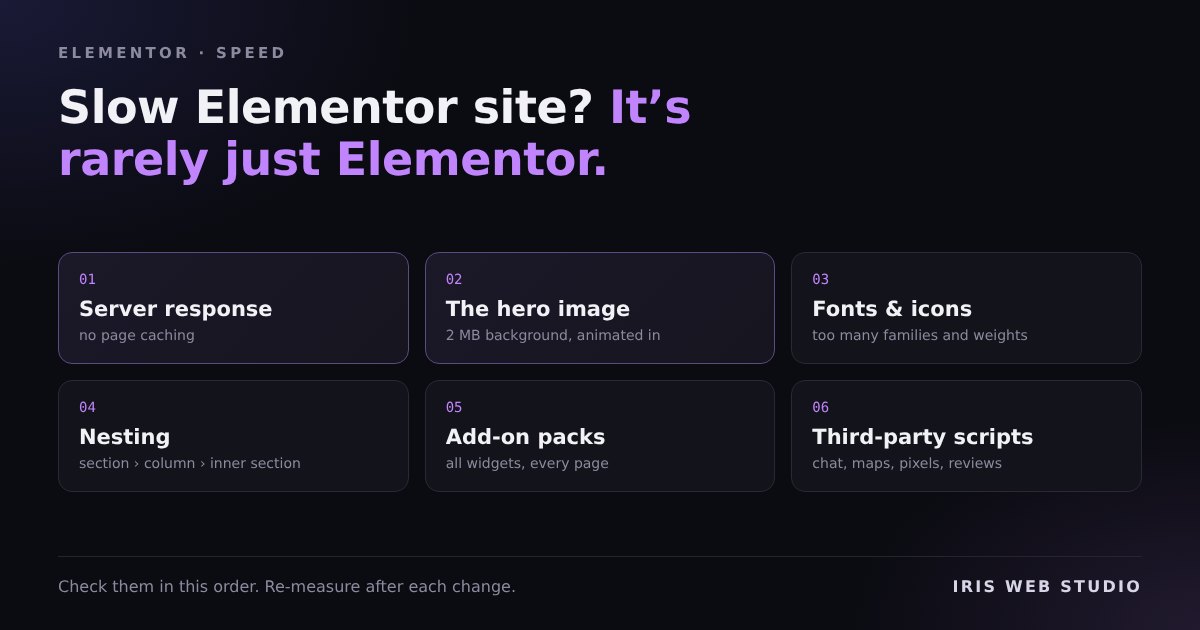
When someone sends me a slow Elementor site, the first suggestion they have usually heard is “Elementor is just heavy, rebuild it”. Sometimes that’s true. Far more often the page builder is fine, and the time goes somewhere much more ordinary.
These are the causes I find most, in the order I check them. The order matters: there is no point fine-tuning fonts on a server that takes three seconds to answer.
Before anything: measure it properly
One PageSpeed run is not a result. On one site I measured, three runs in a row on an unchanged page gave 83, 60 and 77. Take the median of three runs, per device, in a private window so you are logged out. Otherwise you will “fix” noise. There is more on this in Lighthouse never touches your page.
The usual causes
- The server is slow to answer. Before the browser can draw anything, it waits for the first byte of HTML. Cheap shared hosting with no page caching can spend one to three seconds on that alone, for every visitor. Check the server response time first. If it is high, page caching (your host’s, or a plugin such as WP Rocket) usually fixes more than everything else on this list together.
- The hero image is huge, or hidden. The biggest thing at the top of the page is usually what Google times as Largest Contentful Paint. Two common Elementor problems: a 2 MB photo set as a section background, sent at full size to phones, or a hero with an entrance animation. While that animation waits to start, the hero is invisible, and it can’t count as painted until it appears. Compress it to WebP at the size it is actually shown, and keep the hero still.
- Too many fonts and icons. Three Google Font families in four weights each, plus a full icon library loaded for six icons, is a lot of files before any text shows. Keep it to one or two families, only the weights you use, and load them from your own server. Recent Elementor versions can do that, and so can a plugin such as OMGF.
- Too much nesting. Older Elementor layouts wrap every element in a section, a column and an inner section, often several levels deep. That makes a big page structure the browser has to lay out on every change. Rebuilding the heaviest templates with Flexbox Containers cuts a lot of those wrappers.
- Add-on packs. Many Elementor add-on plugins load their CSS and JavaScript for every widget they offer on every page, even when the page uses two. If three add-on packs are installed for one widget each, that adds up. Check what each one loads, and replace or remove the ones that are there for a single feature.
- Third-party scripts. Chat widgets, review carousels, maps, heatmaps, tracking pixels. Each is small. Together they often outweigh the page. Delaying them until the visitor interacts helps, but be careful what you delay: a delayed tracking pixel can stop counting the visitors you paid for, and WP Rocket’s Safe Mode may not delay what you think.
What usually isn’t the problem
The number of plugins on its own. Twenty small, well-made plugins can be lighter than one badly made one. What matters is what each plugin loads on the page, not how many there are.
And Elementor itself, most of the time. Its own CSS and JavaScript are a cost, and on a simple brochure site a static build will always be faster. That’s why I also do WordPress to Astro migrations. But a well-built Elementor site on decent hosting can pass Core Web Vitals. The causes above are what usually stand in the way.
Where to start on your site
Work down the list in order and re-measure after each change, three runs each time. If a change doesn’t move the median, undo it. Not every “optimisation” helps every site.