What a free website audit actually checks
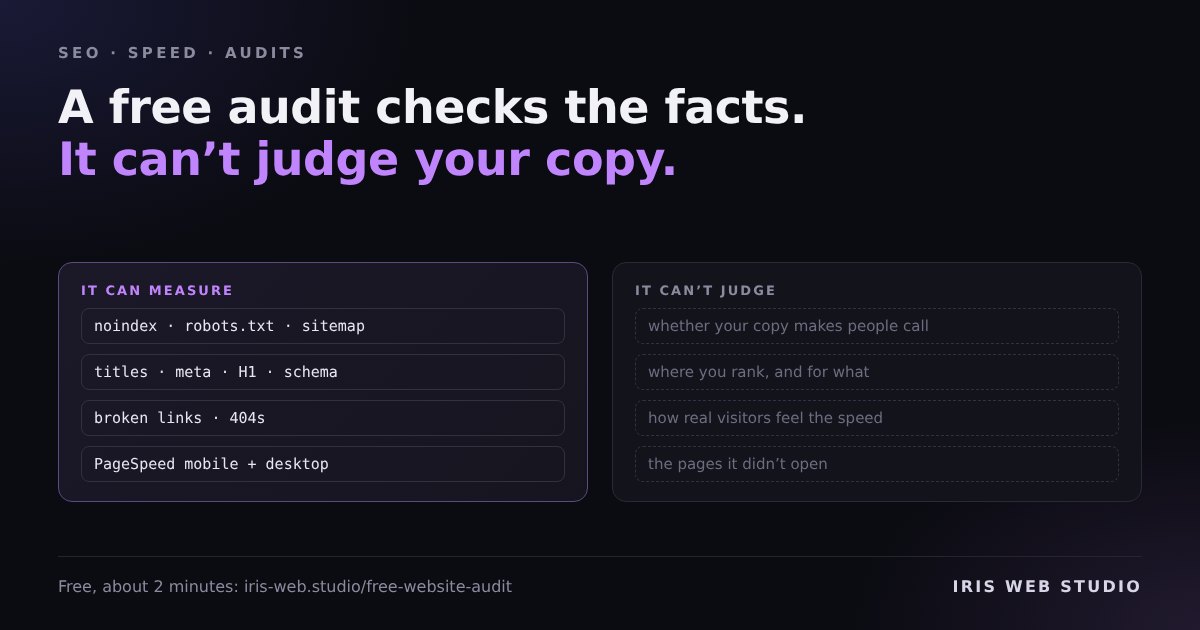
“Free website audit” can mean anything from a real review to a sales form with a progress bar. I built one for this site, so here is what mine actually does, line by line, and where an automatic check stops being useful.
You paste an address. An agent reads your homepage, your sitemap and up to nine key pages, tests the links on your homepage, and runs Google PageSpeed on mobile and desktop. It also looks at your homepage on a phone, the way a new customer would. Automatic checks find the problems. Then AI writes them up in plain English, most important first, with a fix for each and where to make it on your platform. It takes about two minutes.
The checks, in plain words
Can Google read the page?
- Is the page set to
noindex, so Google is told to leave it out? - Does
robots.txtblock the whole site? Does the site have one at all? - Is there an XML sitemap, and does it list your pages?
- Does every page say which address is the real one (a canonical tag)?
- Does the site load over HTTPS?
What will people see in Google?
- Does each page have a title, and is it short enough not to be cut off (about 60 characters)?
- Do two pages share the same title, so Google can’t tell them apart?
- Is there a meta description, and does it fit (about 155 characters)?
- Is there a sharing image, so the link looks right on WhatsApp, Facebook and LinkedIn?
- Is there business structured data (Organization or LocalBusiness) telling Google who you are?
Is the page itself in order?
- One H1 heading per page, not none and not three.
- Enough text to be worth ranking. Under about 250 words is flagged as thin.
- Placeholder images still showing where real photos should be.
- Images without alt text, and a page that doesn’t declare its language.
- A mobile viewport tag, without which phones show a shrunken desktop page.
Does it work, and is it fast?
- Every internal link on the homepage, tested one by one. 404s are flagged.
- How long the server takes to answer. Over two seconds is flagged.
- Google PageSpeed for mobile and desktop: performance, accessibility, best practices and SEO, plus Largest Contentful Paint, layout shift and blocking time.
How the score works
Every site starts at 100. Each problem takes points off by severity: critical issues cost the most, low ones very little. Repeats count less each time, because forty pages missing alt text is one habit, not forty disasters. Then the mobile PageSpeed score is blended in at 20%.
So a 70 does not mean “70% of your site works”. It means there are a few real problems worth fixing, and the list tells you which ones to do first.
What it can’t tell you
This is the part most free audits skip. An automatic check is good at facts it can measure. It is blind to everything that needs judgement.
- Missing or broken tags
- Broken links
- Lab speed on a test phone
- Thin pages, missing alt text
Facts on the page, checked the same way every time.
- Whether your copy makes people call
- Where you rank, and for what
- How real visitors experience the speed
- Pages it didn’t open
Questions for a person, or for data you already own.
- It reviews a sample, not the whole site. The homepage and up to nine key pages. That is usually where the important problems are, but a broken template on page forty won’t show up.
- Lab speed is not real-user speed. PageSpeed tests one load on a simulated phone. I have written about why that number can flatter a page. The real-user data in PageSpeed Insights and Search Console is the one that counts, when your site has enough traffic to have it.
- It knows nothing about your business. A perfect score on a page that says the wrong thing to the wrong people still loses enquiries. Rankings, keywords and backlinks live in Search Console and SEO tools, not on the page.
How to use one well
Treat the report as a to-do list, not a grade. Fix anything marked critical first.
A noindex left over from staging, or a robots.txt blocking everything,
can quietly hide a site from Google. Then work down the list.
Run it again after you change things, and save the report link. Mine keeps every report for 30 days, so you can send it to whoever does your website and both look at the same list.